Windows Scripting: Automated Photoshop
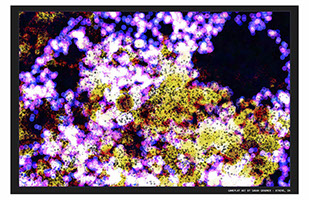
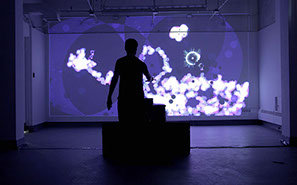
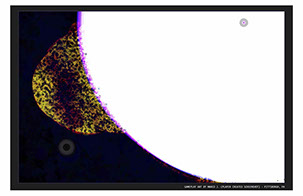
I'm presenting my project Restoring The Void at a conference next week. It's a single player collaborative art game that generates abstract imagery through game play. (I know, that's a mouthful of a description). So you'll probably see a few interactive projects relating to things I need to figure out and clean up with that project over the next few posts.
The game saves an image of the visuals just before it finishes. (Examples at the bottom) This image is automatically saved in a folder. My goal is to print these as high quality posters to be presented with the project. In the past I did this after it had been up, taking the images and manually upscaling them with a process in Adobe Photoshop that really makes the resolution nice and crisp while upresing. I also do a little editing of the image to give it a boarder and title.
I wanted to figure out a way to have this entire process automated and sent to print so anyone playing the game will be able to just walk over to the printer and take their poster with them, hoping to add some agency to the the visual creation through gameplay. So I needed to figure out a way to get Windows to watch a folder for any new image added and to automatically open it in photoshop, do the pre-defined adjustments using a Photoshop Action, then save the new photo with a unique name in a new folder and delete the old one so the process could start fresh.
This led me down a rabbit hole of testing lots of folder action softwares and the sort, but what it came down to was mixing lots of different processes.
I use the free software Folder Actions For Windows to watch a specific folder for a new image and plugged in a .bat Windows batch script. I had to learn how to create .bat scripts - but they are basically commands to the computer executed through a text file. They are super rad. The .bat opens Photoshop. I learned about scripting in Photoshop to make it that anytime the program launches it runs a specific Photoshop Action. This action does the heavy lifting of importing the file added to the folder, adjusting it, printing, and saving it to another folder. That other folder is also watched by Folder Actions with a script that will take any image saved in it, add a time stamp to the name, copy it to a new folder, then delete any images from earlier and close photoshop so when it is launched again it will be able to do the earlier process.
This took sooooooo much longer than I though it would to figure out. But my god the freedom this will grant me at the conference. I won't have to sit with my project all day editing and printing posters for people, the game will do it automatically and I can wander the conference. Kakow!
Maybe one day I'll do a tutorial for this kind of thing and post it, but for now, it's just too complex for me to post any single file or project.
If you'd like to download and play Restoring The Void it is available on the website.
www.owenlowery.com/RestoringTheVoid